

 Loading...





Introduction
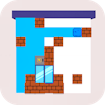
In Blocks Puzzle, you place block shapes onto a grid to complete and clear lines, planning ahead so you never run out of room.
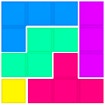
Blocks Puzzle runs instantly in your browser on desktop and mobile — no download and no installation required.
Key Features
- Relaxed spatial puzzle that rewards planning over speed
- Line-clearing that gives satisfying, steady progress
- Space management that turns each placement into a decision
- No-timer play in most versions, ideal for calm sessions
- Runs in the browser with no download and no installation needed
- Skill and planning, not luck, decide how long you last
What is Blocks Puzzle?
Blocks Puzzle is a spatial puzzle game about fitting shapes, clearing lines, and planning placements to avoid dead ends
How to Play
In Blocks Puzzle, drag block shapes onto the grid to fill rows and columns, which then clear for points. There is no timer in most versions, but running out of space ends the game, so careful placement is the whole challenge.
| Action | Control |
|---|---|
| Mouse / drag | Place a block shape |
| Drop | Set the block on the grid |
| Rotate | Turn a shape where supported |
| Pause | Freeze the current game |
Core Gameplay Mechanics
Line planning. When placing a block, aim to complete a row or column rather than scattering pieces.
Space saving. When the grid fills, keep an open region large enough for bigger shapes.
Shape fitting. When an awkward piece comes, place it where it least blocks future options.
Clear timing. When several lines are close, set up a placement that clears multiple at once.
Strategies to Win
Keep A Clear Zone. Cramming pieces everywhere leads to dead ends. Reserving an open region big enough for the largest shapes means you always have somewhere to place awkward blocks, so protecting space is more important than filling every gap immediately.
Build Toward Full Lines. Scattered blocks clog the grid. Placing each piece to advance a row or column toward completion keeps the board clearing, so thinking about which line a block helps finish beats dropping shapes wherever they happen to fit.
Handle Awkward Shapes Early. Difficult pieces get worse as space shrinks. Placing tricky shapes while you still have room, in spots that least block future options, prevents the late-game gridlock that comes from saving them until only bad placements remain.
Set Up Multi-Line Clears. Clearing several lines at once is efficient. Arranging blocks so one placement completes multiple rows or columns maximizes each clear, so planning a step ahead for combos keeps the board open far better than one-line-at-a-time clearing.
Think Before You Drop. Every placement is permanent. Pausing to consider where a shape helps most, rather than dropping it quickly, avoids the small mistakes that compound into a full board, so deliberate play beats speed in this kind of puzzle.
Similar Games
| Game | Why try it |
|---|---|
| Magic Tiles 3 | The site’s flagship rhythm piano-tile game — tap in time to hit songs. |
| Merge Battler | Grid management and planning |
| Heart Calcopus | Puzzle-solving focus |
| Butterfly Matching | Pattern and placement puzzles |
| Mixed World Weekend | Spatial puzzle challenges |
Frequently Asked Questions
Is it free to play?
Yes, it is completely free to play online in your browser. There are no purchases required to enjoy the full experience, and you can start instantly at no cost.
Do I need to download anything?
No download or installation is needed. It is an HTML5 title that runs directly in your browser on desktop and mobile, so you can play instantly without using storage space.
Do I need an account?
No account or sign-up is required. You can jump straight in and start playing immediately, with no registration, login, or personal details needed.
Can I play on mobile?
Yes. Drag-and-drop placement is ideal for touchscreens, so phones and tablets are a natural fit, and the relaxed pace suits quick or long mobile sessions alike.
Is there a time limit?
In most versions, no. The game usually ends when you run out of space to place a block rather than on a timer, so it rewards careful, unhurried planning and suits players who prefer thinking over fast reactions.
Is it hard to learn?
It is easy to learn but hard to master. Placing blocks is simple, while managing space and setting up multi-line clears takes real planning, so long games reward foresight rather than luck as the grid fills up.
Technical Details
Blocks Puzzle is built with HTML5 and runs in all modern browsers, including Chrome, Firefox, Edge, and Safari, on desktop and mobile devices. There is no download or installation — it loads and plays directly in your browser. It is lightweight, uses standard on-screen or keyboard controls, and needs no plugins, making Blocks Puzzle easy to start instantly on almost any device.
Final Verdict
Blocks Puzzle is a relaxing puzzle game for players who enjoy spatial planning, satisfying line clears, and unhurried, thoughtful play
Why Players Enjoy Blocks Puzzle
Players keep returning to Blocks Puzzle because Blocks Puzzle stays fair and skill-based. Blocks Puzzle rewards practice, and each Blocks Puzzle session builds steady improvement. Short breaks suit Blocks Puzzle, so a quick Blocks Puzzle run always fits your day. Beginners pick up Blocks Puzzle fast, while Blocks Puzzle keeps real depth for veterans. No download is needed for Blocks Puzzle, which makes Blocks Puzzle easy to start instantly. Blocks Puzzle runs smoothly in any modern browser, so Blocks Puzzle is ready whenever you are. Every Blocks Puzzle attempt teaches something, which is why Blocks Puzzle stays so replayable.