

 Loading...







Introduction to Commando Force 2
In Commando Force 2, you join commandos sent to fight rivals from around the world. Two modes, a timer and a scoreboard: eliminate as many enemy commandos as you can before the clock runs out.
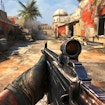
Commando Force 2 is a Unity WebGL game that runs directly in the browser with no download and no installation required.
Key Features of Commando Force 2
- Two modes: Team Deathmatch and Free-For-All, both timer-based
- Respawning after elimination, so a death costs seconds rather than the match
- Full HUD showing health, armor, ammo, scores and remaining time
- Weapon cycling with the mouse wheel or the number keys
- In-game shop for purchasing equipment between engagements
- Free online shooter that runs in the browser with no download
What is Commando Force 2?
Commando Force 2 is a free online first-person shooter built for short sessions rather than long campaigns. Your role is a commando in a timed arena match, and your only measure is your score when the timer expires. The loop is familiar and fast: spawn, find an angle, take fights you can win, respawn and repeat. The tactical dynamic comes from the respawn rule, because death is cheap but time is not. What differentiates Commando Force 2 from a tactical shooter is that survival has no intrinsic value. Staying alive matters only insofar as it lets you keep scoring before the clock stops.
How to Play Commando Force 2
Move with W, S, A and D or the arrow keys, aim with the cursor, fire with the left mouse button and use the right mouse button for precise aim. Cycle weapons with the mouse wheel or the number keys, reload with R, jump with Space and crouch with C. The objective in Commando Force 2 is to eliminate as many enemy commandos as possible. Matches end when the timer expires and the highest score wins. You respawn after being eliminated, and a shop is available for equipment purchases. Team Deathmatch and Free-For-All are the two available modes.
| Input | Action |
|---|---|
| W / S / A / D or arrows | Move |
| Cursor | Aim |
| Left mouse button | Fire |
| Right mouse button | Precise aim |
| Mouse wheel or number keys | Cycle weapons |
| R | Reload |
| Spacebar | Jump |
| C | Crouch |
Core Commando Force 2 Gameplay Mechanics
Reload discipline. When a fight ends, reload immediately rather than moving on with a half-empty magazine. Ammo is shown on the HUD for exactly this reason, and the next engagement in an arena shooter arrives sooner than you expect.
Precise aim versus hip fire. When a target is at distance, use the right mouse button. When someone appears at close range, do not, because the movement penalty costs you more than the accuracy gains. Choosing wrong is the most common cause of a lost duel.
Crouch as a tool, not a habit. When you hold an angle, crouching narrows your profile and steadies your shots. When you are crossing open ground, it makes you an easy target, so treat C as situational rather than default.
Respawn positioning. When you respawn, check the scoreboard and the timer before moving. Time remaining determines whether you should push aggressively or hold a safe angle to protect a lead you already have.
Commando Force 2 Strategies That Work
Learn one spawn route. Pick a single path from your usual spawn to a strong position and repeat it. Familiarity means you spend your attention on opponents rather than navigation, which matters most in the opening seconds after every respawn.
Fight with the timer in mind. Score, not survival, decides the Commando Force 2 match. Early on you can afford risky pushes for trades, but with a narrow lead and little time left, holding a defensible angle is worth more than chasing one more elimination.
Cycle weapons before contact. Switching guns mid-fight loses the fight. Decide which weapon suits the area you are entering and select it while you are still moving, using the number keys rather than scrolling through the wheel.
Use the shop deliberately. Equipment purchases should answer a problem you are actually having, whether that is losing long-range duels or dying before you can react. Buying broadly spreads your resources across problems you do not have.
Watch the HUD, not just the crosshair. Health, armor, ammo, scores and timer are all displayed for a reason. Players who only look at the centre of the screen keep dying with full ammo and no armor, which are avoidable deaths in every case.
Play Free-For-All to learn, Team Deathmatch to win. Free-For-All gives you more engagements per minute, which is better practice. Team Deathmatch rewards positioning and support, so use one mode to build mechanics and the other to apply them.
Games Similar to Commando Force 2
| Game | Why try it |
|---|---|
| Funny Shooter 2 | First-person shooting against waves of absurd enemies. |
| Robo Butcher | Direct combat action with a heavier, close-range feel. |
| Evil Invader | Action shooting with a different pace and target pattern. |
| Face Breaker | Short-session fighting for when you want fewer systems. |
| Demolition Derby Life | Vehicular combat where the last one standing wins. |
FAQ About Commando Force 2
Is Commando Force 2 free? Yes. Commando Force 2 runs in the browser at no cost and needs no installer. Free online shooters delivered this way normally carry sponsor or ad placements around the frame, and the in-game shop uses currency earned through play.
What modes are available? Team Deathmatch and Free-For-All. Both are timed, both end when the clock expires, and the highest score wins. Free-For-All produces more frequent engagements, while Team Deathmatch puts more weight on positioning.
What happens when I am eliminated? You respawn and continue. Elimination costs you time and score momentum rather than ending your match, which is why aggressive play is viable early and risky only when the timer is nearly out.
How do I aim more precisely? Hold the right mouse button. This is best used at range, since it trades mobility for accuracy. At close quarters, standard fire with movement usually wins the exchange more reliably than trying to line up a precise shot.
Do I need to download anything? No. Commando Force 2 is a Unity WebGL build that runs inside the browser tab, so there is no download and no installation. The first load takes a few seconds longer than a 2D game while assets are fetched.
Can I play it on a phone? The controls assume a mouse and keyboard, so a desktop or laptop is the practical setup. Unity WebGL shooters are also demanding, so mobile performance is unlikely to be comfortable even when the page loads.
Commando Force 2 Technical Details
Commando Force 2 is a Unity WebGL game credited to the developer Lucky Try and delivered through the browser with no download and no installation. Commando Force 2 runs in current versions of Chrome, Firefox, Edge and Safari without plugins. Controls use the full keyboard and mouse set typical of first-person shooters, including reload, jump and crouch keys. Because WebGL 3D rendering is continuous, a reasonably modern desktop or laptop with hardware acceleration enabled gives the most stable frame rate.
Final Verdict on Commando Force 2
Commando Force 2 is a competent browser shooter that gets the fundamentals right: readable HUD, standard controls, two clear modes and fast respawns. It suits players who want a few minutes of arena shooting without installing anything. Its limits are hardware demands and a lack of depth beyond score chasing, so it will not replace a full FPS. As a free online game with no download, it delivers.