
Halloween Piano Tiles: Play the Spooky Tapping Game
Play Halloween Piano Tiles online
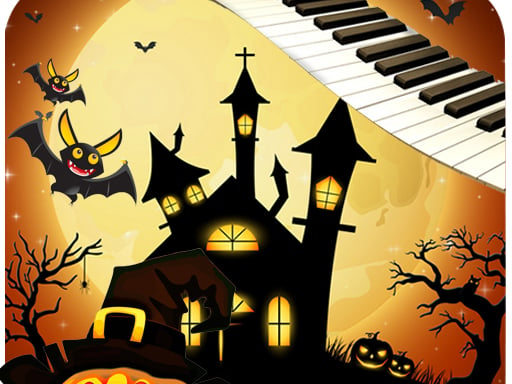
Halloween Piano Tiles puts a four-lane piano-tile challenge against a backdrop of bats and jack-o’-lanterns. The GameMonetize listing credits D. Stevenson and describes a simple rule: keep pressing the piano tracks without touching the gaps or missing the target tiles. Use START in the player above when you are ready. If you enjoy the tile-reading challenge on our Magic Tiles 3 homepage, this is a related browser alternative with its own Halloween presentation, not another version of that game.
What happens on the board?
The opening screen shows a best-score box and a large START button. In our desktop check, pressing START replaced it with four narrow lanes, a score display and a pause symbol. The supplier’s written instructions call the targets black tracks, but the tiles looked orange in the browser build we inspected. Follow the solid targets visible in your own player rather than assuming one colour will always describe every build. Pumpkins and bats belong to the scenery; they are not tiles to select.
The score display starts at zero. When we let the opening run continue without pressing the tiles, the player returned to the START screen. That establishes that an unattended round can end quickly; it does not establish a particular maximum score, song count or later difficulty level. Begin only when you can keep watching the next target.
How to start and control Halloween Piano Tiles
Desktop input
Wait for the external player to finish loading, click START, then use the mouse to select the solid tile in each lane as it appears. Aim inside the tile, away from its border and the lighter gap. The publisher says to keep the sequence going without missing a piano track or pressing white space. We tested the desktop START action and reached the live board; we have not completed a full run or verified every possible timing rule.
Touch input
GameMonetize marks the game as mobile-ready, but that is the distributor’s listing, not a mobile test on this page. If you play on a phone, check that the embedded player accepts your tap before assuming its response matches a mouse click. The game itself is hosted by a third party, so its controls and loading behaviour can change independently of this article.
Read the next tile, not the background
The useful rhythm here is visual. Keep your eyes slightly ahead of the tile you are selecting, then move the pointer only as far as the next lane requires. This gives you time to identify the following solid tile while your current click is still deliberate. The bright Halloween artwork makes it especially easy to look away from the lane edges; use the pale lane dividers to keep your position instead.
Start with the pointer already over the board. When the next target is close to a divider, favour the middle of that tile rather than a hurried edge click. If the sequence becomes faster than you can read, focus on one accurate press at a time; clicking at empty space is exactly what the publisher tells you to avoid. These are practical ways to approach the observed controls, not a promise of a score or a hidden feature.
Source, loading and limits
The GameMonetize listing presents Halloween Piano Tiles under D. Stevenson, labels it mobile-ready, gives an 800 × 600 frame size and dates its publication to 29 November 2021. Those are listing details, not measurements from our site. Its description mentions spooky piano melodies; we have not verified a complete soundtrack or any official relationship with Magic Tiles 3.
The Halloween Piano Tiles iframe may show a loading screen, an advertisement or a More Games promotion before the actual game. We observed that promotion beside START, and the source player also displayed an external link. Do not mistake a promotion for the game board. In our browser the player reached START and the live score screen, but the external host may fail or change later; mobile and fullscreen behaviour have not been tested here.
Related piano-tile games
For a different four-lane look, try Perfect Piano; for a dark-tile challenge, see Piano Tile. They are separate games, so do not assume their songs or scoring carry across. Our Piano and Rhythm Games category collects the relevant playable titles on this site.
Quick questions
Is the Halloween artwork part of the controls?
No. The bats and pumpkins decorate the board. Follow the solid tiles in the four lanes and avoid the spaces between them.
Does the game start immediately?
It may first show its supplier’s loader or promotion. Wait for the screen with the large START button, then press it to reach the board. In our desktop check, the live game displayed a score and a pause symbol.
Final take
Halloween Piano Tiles is appealing if you want the familiar tile-selection task in a seasonal setting. Its opening round loaded and started on this site, while its supplier’s colour description did not exactly match the orange tiles seen in our earlier browser check. Treat the on-screen targets as the authority, keep the next lane in view and expect the supplier’s loading or promotional screens before play.